CupertinoBottomSheet
A Cupertino bottom sheet.
Inherits: DialogControl
Examples
Displaying a CupertinoActionSheet
import flet as ft


def main(page: ft.Page):
    page.horizontal_alignment = ft.CrossAxisAlignment.CENTER

    messages = ft.Column(tight=True)

    def handle_click(e: ft.Event[ft.CupertinoActionSheetAction]):
        messages.controls.append(ft.Text(f"Action clicked: {e.control.content.value}"))
        page.pop_dialog()

    action_sheet = ft.CupertinoActionSheet(
        title=ft.Row(
            alignment=ft.MainAxisAlignment.CENTER,
            controls=[ft.Text("Title"), ft.Icon(ft.Icons.BEDTIME)],
        ),
        message=ft.Row(
            alignment=ft.MainAxisAlignment.CENTER,
            controls=[ft.Text("Description"), ft.Icon(ft.Icons.AUTO_AWESOME)],
        ),
        cancel=ft.CupertinoActionSheetAction(
            on_click=handle_click,
            content=ft.Text("Cancel"),
        ),
        actions=[
            ft.CupertinoActionSheetAction(
                default=True,
                on_click=handle_click,
                content=ft.Text("Default Action"),
            ),
            ft.CupertinoActionSheetAction(
                on_click=handle_click,
                content=ft.Text("Normal Action"),
            ),
            ft.CupertinoActionSheetAction(
                destructive=True,
                on_click=handle_click,
                content=ft.Text("Destructive Action"),
            ),
        ],
    )

    bottom_sheet = ft.CupertinoBottomSheet(action_sheet)

    page.add(
        ft.SafeArea(
            content=ft.Column(
                horizontal_alignment=ft.CrossAxisAlignment.CENTER,
                controls=[
                    ft.CupertinoFilledButton(
                        on_click=lambda _: page.show_dialog(bottom_sheet),
                        content="Open CupertinoBottomSheet",
                    ),
                    messages,
                ],
            ),
        )
    )


if __name__ == "__main__":
    ft.run(main)
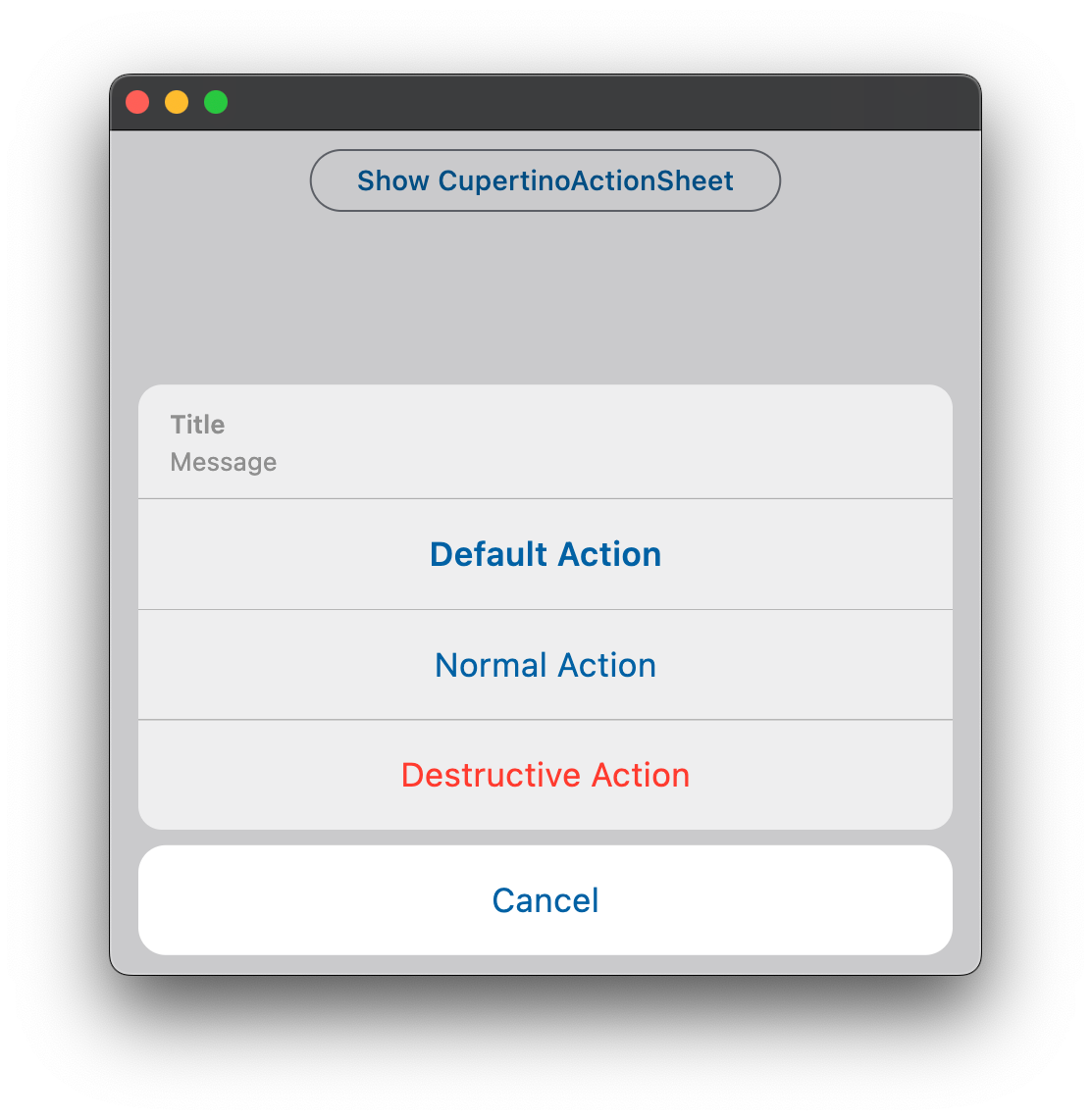
Properties
bgcolorclass-attributeinstance-attribute
bgcolor: Optional[ColorValue] = NoneThe background color of this bottom sheet.
heightclass-attributeinstance-attribute
height: Optional[Number] = NoneThe height of this bottom sheet.
modalclass-attributeinstance-attribute
modal: bool = FalseWhether this bottom sheet can be dismissed/closed by clicking the area outside of it.