ListView
A scrollable list of controls arranged linearly.
ListView is the most commonly used scrolling control. It displays its children one after another in the scroll direction. In the cross axis, the children are required to fill the ListView.
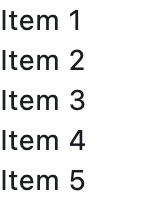
ft.ListView(
    controls=[ft.Text(f"Item {i}") for i in range(1, 6)],
)
Inherits: LayoutControl, ScrollableControl, AdaptiveControl
Properties
build_controls_on_demand- Whether the controls should be built lazily/on-demand, i.e.cache_extent- The viewport has an area before and after the visible area to cache items that are about to become visible when the user scrolls.clip_behavior- Defines how to clip the controls.controls- A list ofControls to display inside ListView.divider_thickness- If greater than0thenDivideris used as a spacing between list view items.first_item_prototype- Whether the dimensions of the first item should be used as a "prototype" for all other items.horizontal- Whether the controls should be laid out horizontally.item_extent- A fixed height or width (when horizontal isTrue) of an item to optimize rendering.padding- The amount of space by which to inset the controls.prototype_item- A control to be used as a "prototype" for all items, i.e.reverse- Whether the scroll view scrolls in the reading direction.semantic_child_count- The number of children that will contribute semantic information.spacing- The height of divider between the controls.
Examples
Auto-scrolling and dynamical items addition
import asyncio

import flet as ft


async def main(page: ft.Page):
    def handle_switch_change(e: ft.Event[ft.Switch]):
        lv.auto_scroll = not lv.auto_scroll
        lv.update()

    lv = ft.ListView(
        spacing=10,
        padding=20,
        width=150,
        auto_scroll=True,
        controls=[
            ft.Text(f"Line {i}", color=ft.Colors.ON_SECONDARY) for i in range(0, 60)
        ],
    )

    page.add(
        ft.SafeArea(
            expand=True,
            content=ft.Row(
                expand=True,
                vertical_alignment=ft.CrossAxisAlignment.START,
                controls=[
                    ft.Container(
                        bgcolor=ft.Colors.GREY_500,
                        content=lv,
                    ),
                    ft.Switch(
                        thumb_icon=ft.Icons.LIST_OUTLINED,
                        value=True,
                        label="Auto-scroll",
                        label_position=ft.LabelPosition.RIGHT,
                        on_change=handle_switch_change,
                    ),
                ],
            ),
        )
    )

    # Add a new item to the ListView every second.
    for i in range(len(lv.controls), 120):
        await asyncio.sleep(1)
        lv.controls.append(ft.Text(f"Line {i}", color=ft.Colors.ON_SECONDARY))
        lv.update()


if __name__ == "__main__":
    ft.run(main)
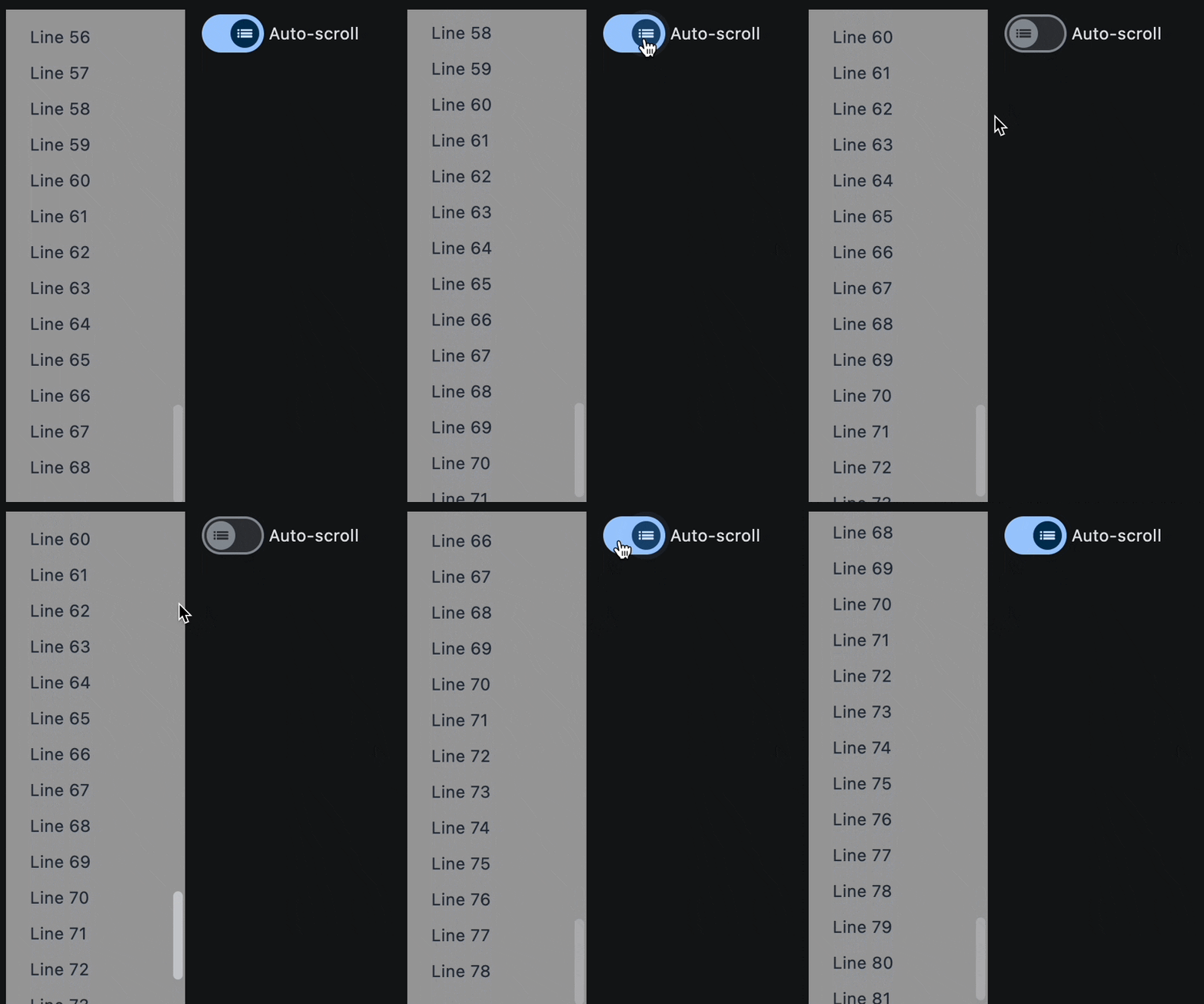
Properties
build_controls_on_demandclass-attributeinstance-attribute
build_controls_on_demand: bool = TrueWhether the controls should be built lazily/on-demand, i.e. only when they are about to become visible.
This is particularly useful when dealing with a large number of controls.
cache_extentclass-attributeinstance-attribute
cache_extent: Optional[Number] = NoneThe viewport has an area before and after the visible area to cache items that are about to become visible when the user scrolls.
Items that fall in this cache area are laid out even though they are not (yet)
visible on screen. The cache_extent describes how many pixels the cache area
extends before the leading edge and after the trailing edge of the viewport.
The total extent, which the viewport will try to cover with children, is
cache_extent before the leading edge + extent of the main axis + cache_extent
after the trailing edge.
The cache area is also used to implement implicit accessibility scrolling on iOS: When the accessibility focus moves from an item in the visible viewport to an invisible item in the cache area, the framework will bring that item into view with an (implicit) scroll action.
clip_behaviorclass-attributeinstance-attribute
clip_behavior: ClipBehavior = ClipBehavior.HARD_EDGEDefines how to clip the controls.
controlsclass-attributeinstance-attribute
controls: list[Control] = field(default_factory=list)A list of Controls to display inside ListView.
divider_thicknessclass-attributeinstance-attribute
divider_thickness: Number = 0If greater than 0 then Divider is used as a spacing between list view items.
first_item_prototypeclass-attributeinstance-attribute
first_item_prototype: bool = FalseWhether the dimensions of the first item should be used as a "prototype" for all other items.
If True, their height or width will be the same as the first item.
horizontalclass-attributeinstance-attribute
horizontal: bool = FalseWhether the controls should be laid out horizontally.
item_extentclass-attributeinstance-attribute
item_extent: Optional[Number] = NoneA fixed height or width (when horizontal is True) of an item to optimize rendering.
This property has effect only when build_controls_on_demand
is True or spacing is 0.
paddingclass-attributeinstance-attribute
padding: Optional[PaddingValue] = NoneThe amount of space by which to inset the controls.
prototype_itemclass-attributeinstance-attribute
prototype_item: Optional[Control] = NoneA control to be used as a "prototype" for all items, i.e. their height or width will be the same as the prototype_item.
This property has effect only when build_controls_on_demand
is True or spacing is 0.
reverseclass-attributeinstance-attribute
reverse: bool = FalseWhether the scroll view scrolls in the reading direction.
For example, if the reading direction is left-to-right and
horizontal is True,
then the scroll view scrolls from left to right when reverse is False
and from right to left when reverse is True.
Similarly, if horizontal is False, then the scroll view scrolls from top
to bottom when reverse is False and from bottom to top when reverse is True.
semantic_child_countclass-attributeinstance-attribute
semantic_child_count: Optional[int] = NoneThe number of children that will contribute semantic information.