NavigationDrawer
Material Design Navigation Drawer component.
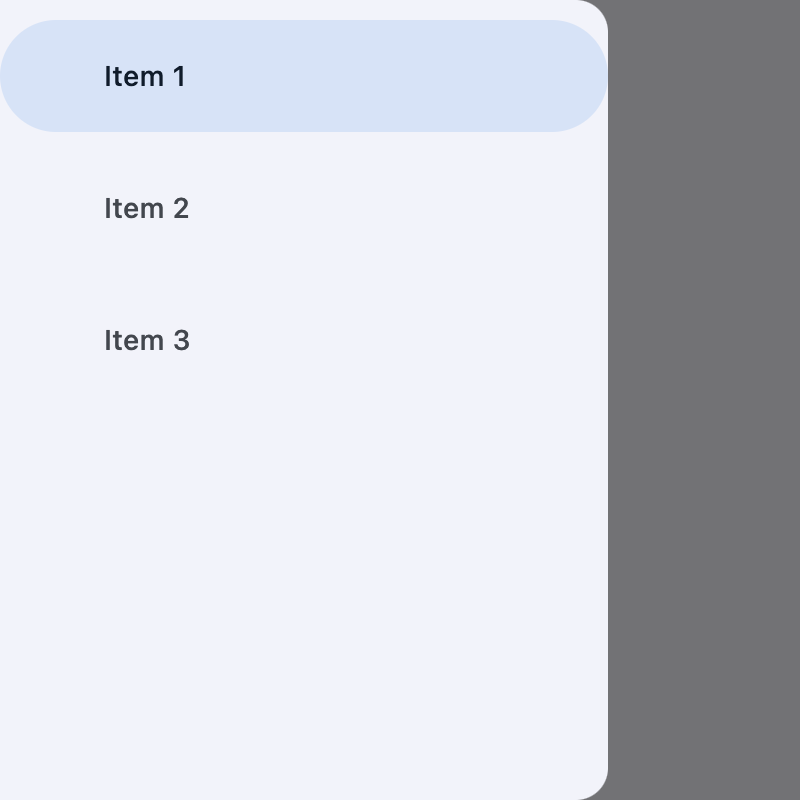
Navigation Drawer is a panel slides in horizontally from the left or right edge of a page to show primary destinations in an app.
ft.NavigationDrawer(
    controls=[
        ft.NavigationDrawerDestination(label="Item 1"),
        ft.NavigationDrawerDestination(label="Item 2"),
        ft.NavigationDrawerDestination(label="Item 3"),
    ],
    tile_padding=ft.Padding(top=10),
)
Inherits: AdaptiveControl
Properties
bgcolor- The color of the navigation drawer itself.controls- Defines the appearance of the items within the navigation drawer.elevation- The elevation of the navigation drawer itself.indicator_color- The color of the selected destination indicator.indicator_shape- The shape of the selected destination indicator.selected_index- The index for the current selectedNavigationDrawerDestinationor null if no destination is selected.shadow_color- The color used for the drop shadow to indicateelevation.tile_padding- Defines the padding fordestinationcontrols.
Events
on_change- Called when selected destination changed.on_dismiss- Called when the drawer is dismissed.
Examples
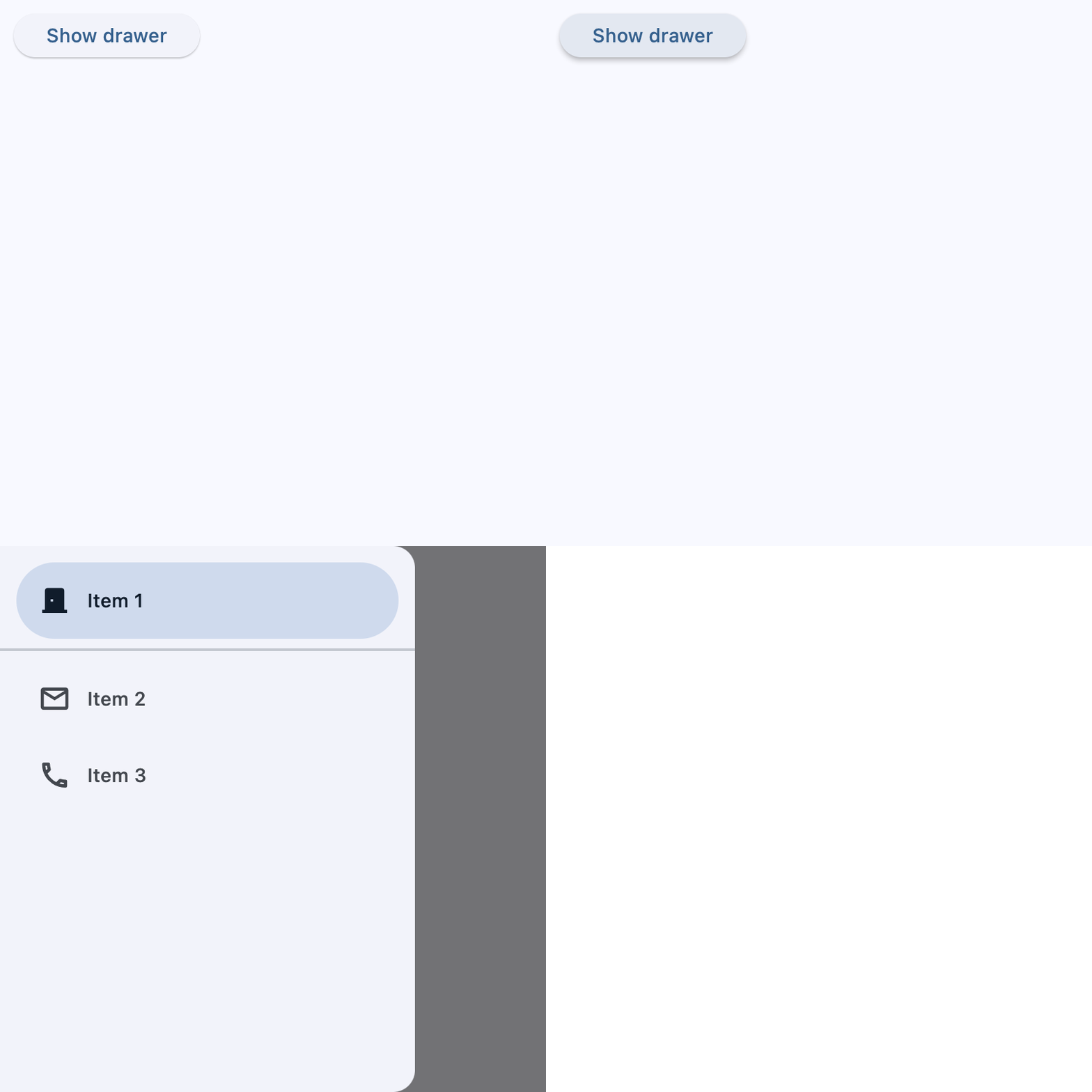
Start-aligned drawer
import flet as ft


def main(page: ft.Page):
    async def handle_show_drawer():
        await page.show_drawer()

    def handle_dismissal(e: ft.Event[ft.NavigationDrawer]):
        print("Drawer dismissed!")

    async def handle_change(e: ft.Event[ft.NavigationDrawer]):
        print(f"Selected Index changed: {e.control.selected_index}")
        await page.close_drawer()

    page.drawer = ft.NavigationDrawer(
        on_dismiss=handle_dismissal,
        on_change=handle_change,
        controls=[
            ft.Container(height=12),
            ft.NavigationDrawerDestination(
                label="Item 1",
                icon=ft.Icons.DOOR_BACK_DOOR_OUTLINED,
                selected_icon=ft.Icon(ft.Icons.DOOR_BACK_DOOR),
            ),
            ft.Divider(thickness=2),
            ft.NavigationDrawerDestination(
                icon=ft.Icon(ft.Icons.MAIL_OUTLINED),
                label="Item 2",
                selected_icon=ft.Icons.MAIL,
            ),
            ft.NavigationDrawerDestination(
                icon=ft.Icon(ft.Icons.PHONE_OUTLINED),
                label="Item 3",
                selected_icon=ft.Icons.PHONE,
            ),
        ],
    )

    page.add(
        ft.SafeArea(
            content=ft.Button(
                content="Show drawer",
                on_click=handle_show_drawer,
            )
        )
    )


if __name__ == "__main__":
    ft.run(main)
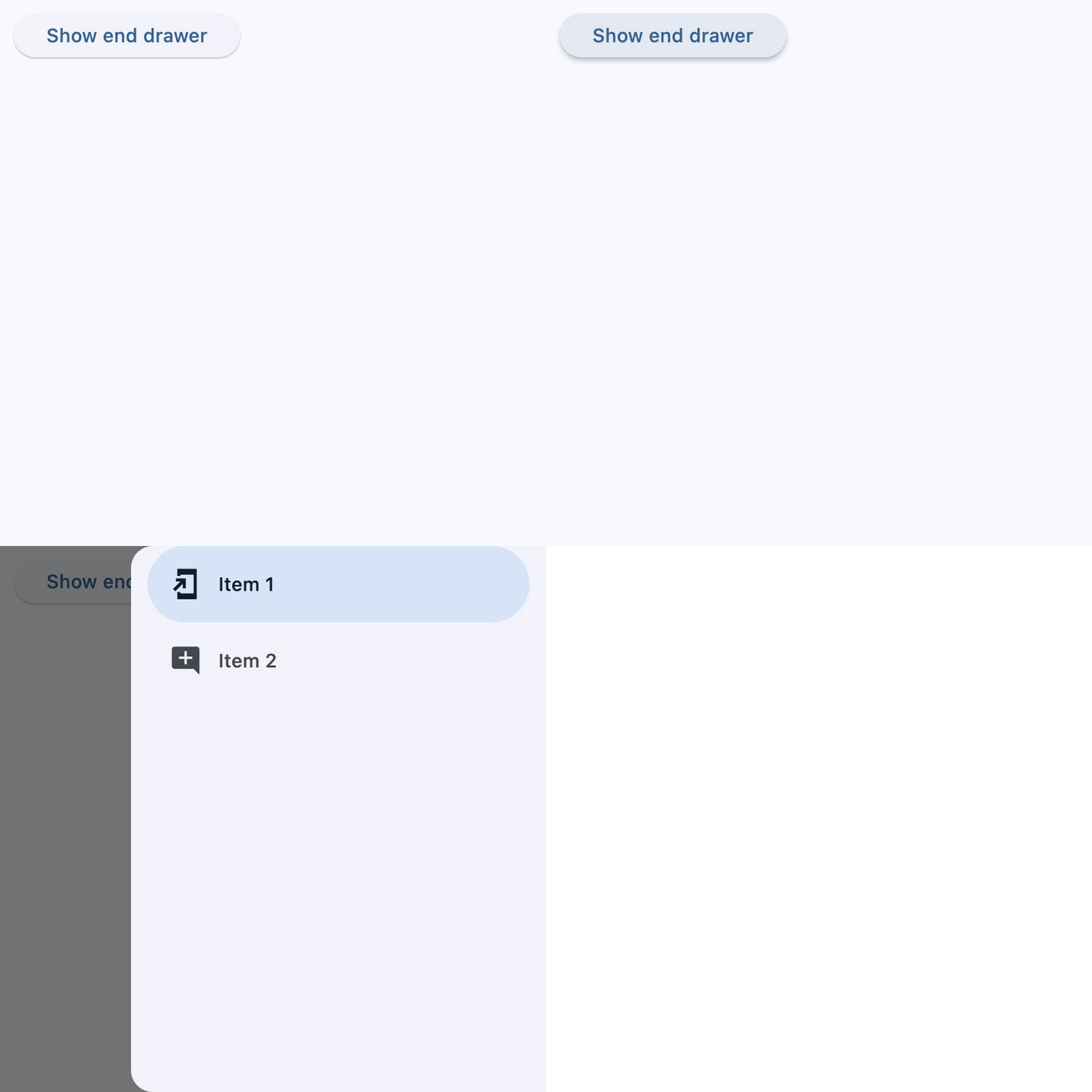
End-aligned drawer
import flet as ft


def main(page: ft.Page):
    async def handle_show_drawer():
        await page.show_end_drawer()

    def handle_dismissal(e: ft.Event[ft.NavigationDrawer]):
        print("Drawer dismissed!")

    async def handle_change(e: ft.Event[ft.NavigationDrawer]):
        print(f"Selected Index changed: {e.control.selected_index}")
        await page.close_end_drawer()

    page.end_drawer = ft.NavigationDrawer(
        on_dismiss=handle_dismissal,
        on_change=handle_change,
        controls=[
            ft.NavigationDrawerDestination(
                icon=ft.Icons.ADD_TO_HOME_SCREEN_SHARP,
                label="Item 1",
            ),
            ft.NavigationDrawerDestination(
                icon=ft.Icon(ft.Icons.ADD_COMMENT),
                label="Item 2",
            ),
        ],
    )

    page.add(
        ft.SafeArea(
            content=ft.Button(
                content="Show end drawer",
                on_click=handle_show_drawer,
            )
        )
    )


if __name__ == "__main__":
    ft.run(main)
Properties
bgcolorclass-attributeinstance-attribute
bgcolor: Optional[ColorValue] = NoneThe color of the navigation drawer itself.
controlsclass-attributeinstance-attribute
controls: list[Control] = field(default_factory=list)Defines the appearance of the items within the navigation drawer.
The list contains NavigationDrawerDestination items and/or other controls such as
headlines and dividers.
elevationclass-attributeinstance-attribute
elevation: Optional[Number] = NoneThe elevation of the navigation drawer itself.
indicator_colorclass-attributeinstance-attribute
indicator_color: Optional[ColorValue] = NoneThe color of the selected destination indicator.
indicator_shapeclass-attributeinstance-attribute
indicator_shape: Optional[OutlinedBorder] = NoneThe shape of the selected destination indicator.
selected_indexclass-attributeinstance-attribute
selected_index: int = 0The index for the current selected NavigationDrawerDestination or null if no destination is selected.
A valid selected_index is an integer between 0 and number of destinations - 1. For
an invalid selected_index, for example, -1, all destinations will appear
unselected.
shadow_colorclass-attributeinstance-attribute
shadow_color: Optional[ColorValue] = NoneThe color used for the drop shadow to indicate elevation.
tile_paddingclass-attributeinstance-attribute
tile_padding: Optional[PaddingValue] = NoneDefines the padding for destination controls.
Events
on_changeclass-attributeinstance-attribute
on_change: Optional[ControlEventHandler[NavigationDrawer]] = NoneCalled when selected destination changed.
on_dismissclass-attributeinstance-attribute
on_dismiss: Optional[ControlEventHandler[NavigationDrawer]] = NoneCalled when the drawer is dismissed.